Made with AI: Claude (Anthropic) prepared and measured the package together with Robertas; the banner was made with AI. Ingutė is a synthetic voice.
What it is for
A phone that reads Lithuanian
Ingutė becomes the phone's text-to-speech voice, used by apps that read aloud: article and book readers, the screen reader.
Offline
The voice runs on the phone. The internet is needed once, to download the app and the voice.
Free
Both the voice and the SherpaTTS app are free and open source, with no ads and no accounts.
What it fixes
The missing s
The phone's pronunciation engine, eSpeak NG, often writes Lithuanian /s/ with a symbol Ingutė hardly learned. Without the fix "pasiimk skėtį" comes out as "paimk kėtį". The fix is in tokens.txt.
Stress
On its own, eSpeak NG puts the stress where the dictionary does in only 53 % of multi-syllable words: dãbar, lãbai, Lietùvos. With our lt_dict it is 99.3 %: dabar̃, labaĩ, Lietuvõs.
A Lithuanian speech recognition model listened to 12 everyday sentences. Word errors: 7.7 % without fixes, 4.4 % with the s fix, 1.1 % with the stress list as well. Tested on a Xiaomi 12T Pro, Android 15, SherpaTTS 3.4.
Installing (about 10 minutes)
Install SherpaTTS from F-Droid. It is not on Google Play; a search there shows other, ad-supported apps. File: org.woheller69.ttsengine_34.apk (3.4, 91 MB). The right app is called SherpaTTS and has no ads.
Download to the phone from the release: lt_LT-ingute-medium.onnx and tokens.txt.
SherpaTTS → "INSTALL PIPER MODEL FROM SD": language code lit, name Ingute, then the model and tokens files → OK.
Phone settings → "Text-to-speech output" → engine SherpaTTS, language Lithuanian → "Listen to an example".
Ingutė now speaks with the s fix. The stress list takes one more step, from a computer.
5. Stress, from a computer
Recent Android versions do not let file managers write into another app's folder, so lt_dict goes in with Google's adb. On the phone: Settings → About phone → tap the build number 7 times → in developer options turn on USB debugging → connect the cable and allow it.
First check that your SherpaTTS dictionary is the original (it must be 5426503daf0a29836d0f168d38b38581; if not, do not replace it):
Listen to "Dabar labai gera diena, nes Lietuvos rinktinė laimėjo." To undo, rename lt_dict_orig back to lt_dict. Reinstalling SherpaTTS undoes this step.
Ears: Lithuanian dictation
Since 1.1.0: speak Lithuanian to the phone and the text appears in any text field. The open-source voice keyboard Parakeetype (F-Droid) does this: it recognises speech on the phone and has no internet permission. Its default model hears Lithuanian poorly; our archive parakeet-lt-kmynas-int8.zip (955 MB) gives it Lithuanian ears.
word error rate
FLEURS (986 utterances)
short commands (127)
Parakeetype's default model
27.1 %
80.4 %
with these ears
10.6 %
17.0 %
Status (2026-10-29): for Parakeetype from F-Droid to accept the archive, its author has to merge our proposal theScrabi/Parakeetype#1. Until then you can build the app with the Lithuanian model yourself; the README explains how.
Download to the phoneparakeet-lt-kmynas-int8.zip from the release.
Parakeetype: enable the keyboard, allow the microphone → "Install" → scroll to the Parakeet Lithuanian card → "Import model file" → "Set as Active".
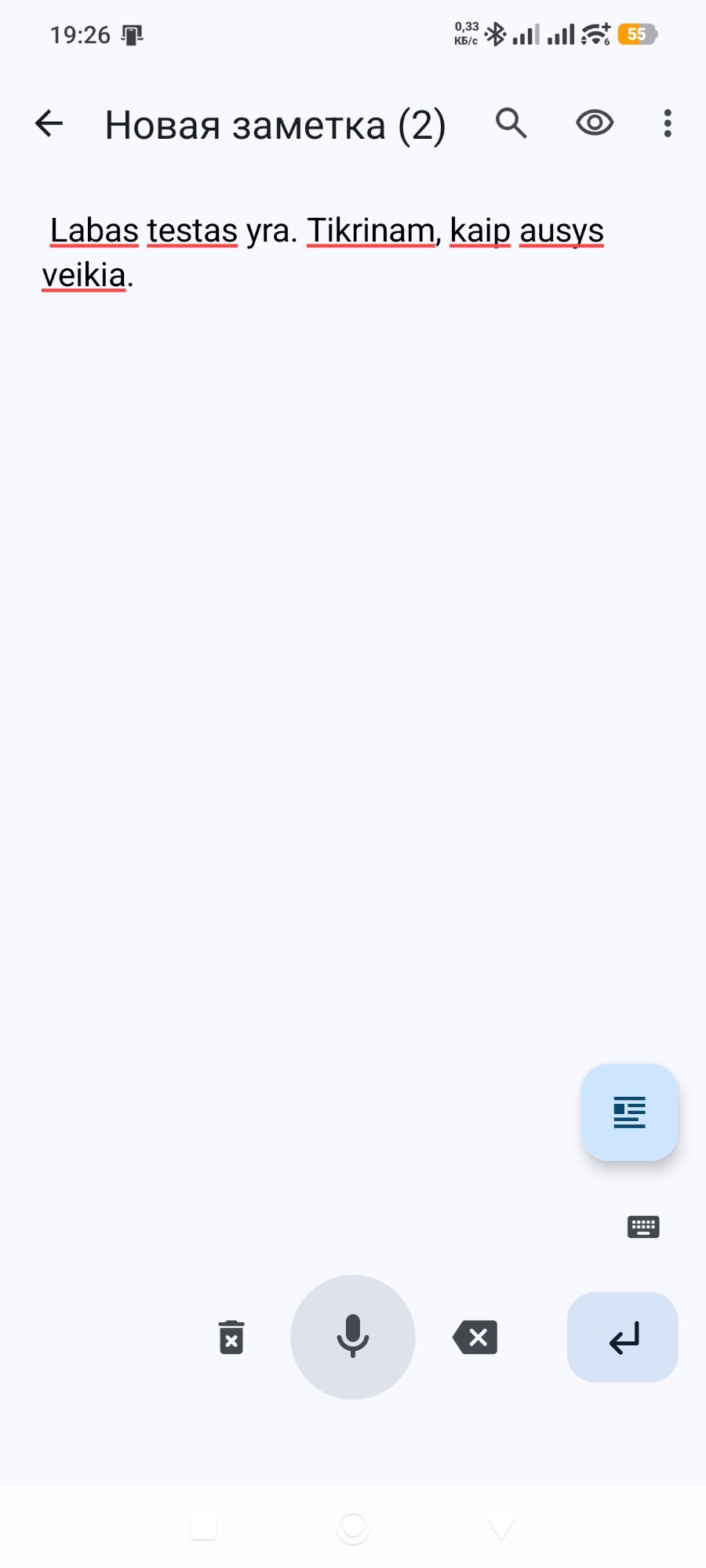
Dictate: in a text field switch the keyboard to "Parakeetype Voice Input" (in Gboard, long-press 🌐), hold the microphone button and speak.
Back to your usual keyboard: the small keyboard icon on the right, above Enter.
Lithuanian only; about 910 MB on the phone, needs Android 12 or newer. Tested on Robertas's phone (Xiaomi 12T Pro, Android 15).
Everyday use
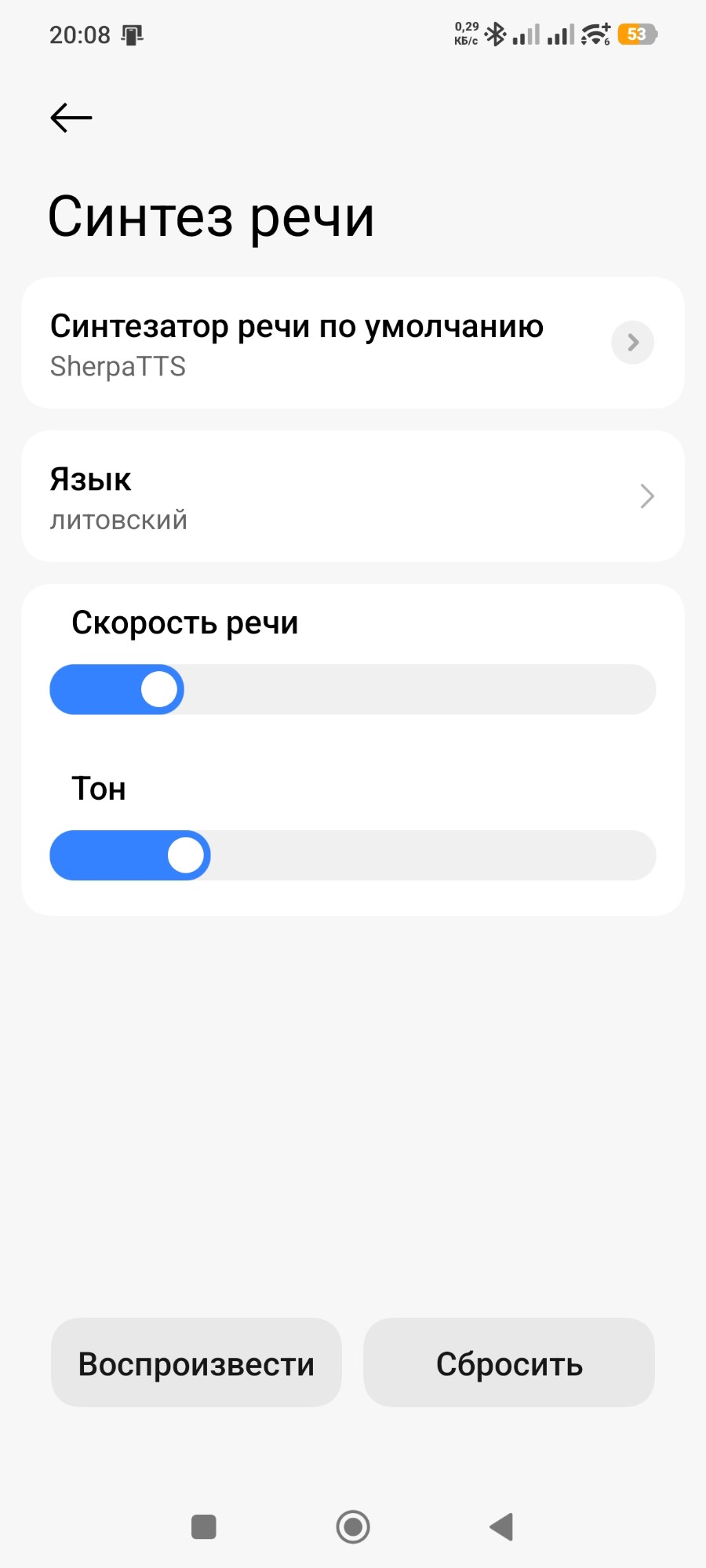
Installing does not yet make the phone speak or listen. Here is what to set up once and how to use it afterwards. Menu names differ a little between phones, so the easiest way to find them is the search box in the phone's settings. The screenshots are from a Xiaomi phone set to Russian.
Make the phone read with Ingutė's voice
Ingutė as the phone's voice (once). Search the settings for "text-to-speech". Preferred engine → SherpaTTS (Android warns the engine "may collect text"; it shows this for every non-Google voice; tap OK). Language → Lithuanian. Play: Ingutė should speak.
Have any text on the screen read aloud (once). Search the settings for "Select to Speak", turn it on and allow it to see the screen. A blue button appears at the edge of the screen.
Every day: open an SMS, an email or an article → tap the blue button → tap a paragraph and Ingutė reads it (▶ for the whole screen, ■ to stop).
Make the phone type what you say (ears)
Open the place where you type: SMS, notes, search.
Switch the keyboard to Parakeetype: in Gboard, long-press 🌐 → "Parakeetype Voice Input".
Hold the microphone button and speak. When you let go, the text appears; the app adds full stops, commas and capital letters itself.
Back to your usual keyboard: the small keyboard icon on the right, above Enter.
Stuck? Just ask. Open any AI chat (ChatGPT, Claude, Gemini) and paste: Read https://raw.githubusercontent.com/RobertasTa/android-lt/main/AI_CONSULTANT_BRIEF.md and help me with Android LT. Then say what does not work and attach a screenshot; that AI knows all these steps and will answer in your language.
Privacy, plainly
Text and audio stay on the phone: the voice runs there. This package is only files, with no program that connects anywhere. SherpaTTS goes online only when you ask it to download a language from its own list. Parakeetype has no internet permission at all: you download the model archive yourself.
Limits
Numbers and abbreviations are read by eSpeak NG itself ("15:25 val." may sound odd).
Only the stressed syllable is set, not the Lithuanian pitch accent.
About 9 % of words are not in the dictionary; eSpeak NG guesses those.
lt_dict was built for SherpaTTS 3.4; check the md5 first on other versions.
The SherpaTTS developers do not agree with Google's developer identity requirement, planned worldwide for 2027; the app warns about it itself.
It is a synthetic voice: natural, but not a person.
Licences
Voice: NewGenLTU Open RAIL-D 1.0. Free of charge, commercial use is not prohibited, use restrictions apply; when passing it on, include LICENSE-VOICE and state the origin. Ingutė was grown from the Reginutė model with the authors' own Python tools.
lt_dict and its sources: GPL-3.0 (eSpeak NG data). The stress positions come from two CC BY 4.0 works: the LIEPA corpus annotation (Vilnius University) and Arūnas Smaliukas's g2p-lt-lexicon (THIRD_PARTY.md).
Ears: CC BY 4.0. NVIDIA Parakeet TDT 0.6B v3, fine-tuned for Lithuanian by Kristijonas Jakubsonas ("kmynas v4", LIEPA-3); our changes are listed in the archive's NOTICE.txt. The Silero VAD inside is MIT. Parakeetype is a separate app (GPL-3.0).
The other way round: speak Lithuanian, and the text appears in any program on your PC.
Thanks
SherpaTTS (woheller69), sherpa-onnx (k2-fsa), eSpeak NG, Piper and Michael Hansen; the creators of the LIEPA corpus (Vilnius University) and Arūnas Smaliukas; Parakeetype (theScrabi), Kristijonas Jakubsonas for the Lithuanian Parakeet ("kmynas") and NVIDIA for Parakeet.
Stuck? Paste into any AI chat: Read https://raw.githubusercontent.com/RobertasTa/android-lt/main/AI_CONSULTANT_BRIEF.md and help me with Android LT. Questions: Issues.